Introduction
Software vs SaaS is an important topic for businesses, developers, organizations, and everyday users choosing digital tools in 2026. Software is a broad term that describes computer programs designed to perform specific tasks, while Software as a Service, commonly known as SaaS, is a specific method of delivering software through the internet.
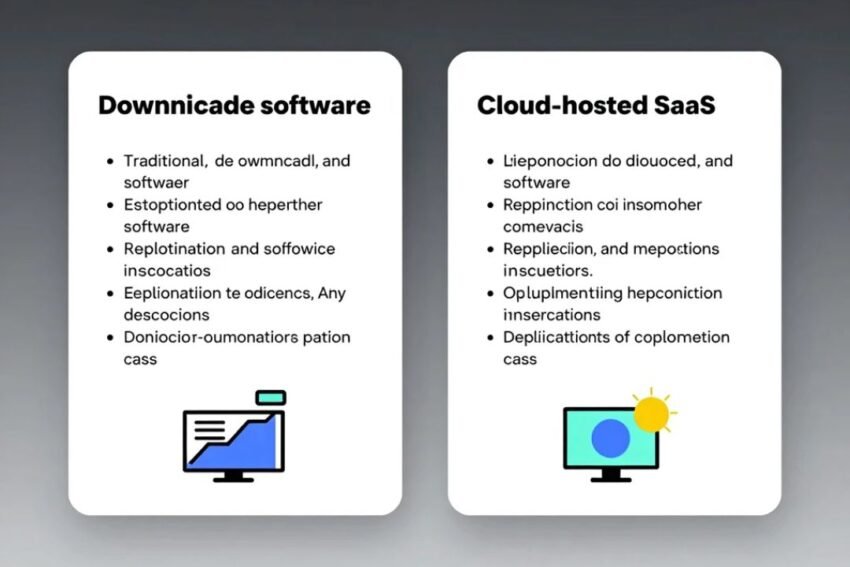
Traditional software may be installed directly on a computer, server, or company infrastructure. SaaS applications are generally hosted by a service provider and accessed online through a web browser or application.
Both approaches can provide useful features, but they differ in areas such as installation, pricing, maintenance, updates, accessibility, security, customization, and data management.
Understanding these differences can help users select the right technology for their personal or business requirements.
What Is Software?
Software refers to programs and instructions that allow computers and other digital devices to perform tasks.
Software can include:
- Desktop applications
- Mobile applications
- Operating systems
- Server software
- Enterprise applications
- Development tools
- Utility programs
- Security software
Traditional software is often installed directly on a device or managed on company-owned infrastructure.
For example, a business may install an accounting application on office computers or operate software on its own servers.
The exact installation and licensing model depends on the software provider.
What Is SaaS?
Software as a Service (SaaS) is a software delivery model in which an application is hosted by a provider and accessed through the internet.
Instead of managing the application’s infrastructure directly, customers generally subscribe to the service.
Common SaaS characteristics include:
- Cloud hosting
- Subscription pricing
- Online access
- Automatic updates
- Centralized infrastructure
- Remote collaboration
- Scalable user management
Examples of SaaS categories include project management, CRM, accounting, communication, cloud storage, marketing, and business analytics.
Software vs SaaS: The Basic Difference
The main difference between software and SaaS is that software describes the application itself, while SaaS describes a way of delivering and accessing software.
Traditional software may be installed and managed locally.
SaaS is generally hosted by a provider and accessed online.
This means SaaS is actually a type of software delivery model rather than a completely separate category of technology.
For example, an accounting application can exist as locally installed software or as a cloud-based SaaS platform.
Key Differences Between Software and SaaS
Installation
Traditional software may require installation on a computer or company server.
SaaS applications generally do not require users to install the complete application locally. They can often be accessed through a browser or dedicated client.
Access
Traditional software can be limited to specific devices unless additional infrastructure is provided.
SaaS platforms are generally designed for access from multiple locations and devices.
Updates
Traditional software may require users or IT departments to install updates.
SaaS providers usually manage updates centrally.
Pricing
Traditional software may use:
- One-time licenses
- Per-device licenses
- Maintenance contracts
- Upgrade fees
SaaS commonly uses:
- Monthly subscriptions
- Annual subscriptions
- Per-user pricing
- Usage-based pricing
- Tiered plans
Infrastructure
Traditional software can require organizations to manage hardware, servers, databases, and other infrastructure.
With SaaS, much of the infrastructure is managed by the service provider.
Software vs SaaS Comparison Table
| Feature | Traditional Software | SaaS |
|---|---|---|
| Installation | Often required | Usually minimal |
| Hosting | Local or company-managed | Provider-managed cloud |
| Access | Device or network dependent | Internet-based |
| Updates | Often user-managed | Usually provider-managed |
| Pricing | License or purchase | Subscription or usage |
| Maintenance | Customer may manage it | Provider generally manages it |
| Scalability | May require additional infrastructure | Usually easier to scale |
| Remote Access | Depends on setup | Commonly supported |
| Customization | Often extensive | Varies by provider |
| Infrastructure | May be customer-managed | Generally provider-managed |
The exact characteristics can vary between products.
Benefits of Traditional Software
Traditional software still has important advantages.
Greater Local Control
Organizations may have more direct control over where software and data are hosted.
Offline Access
Some locally installed applications can continue operating without an internet connection.
Customization
Certain enterprise applications can be deeply customized.
Infrastructure Control
Businesses with specialized IT teams may prefer managing their own infrastructure.
Long-Term Licensing
Some software products offer perpetual or long-term licensing models that may be useful for specific organizations.
However, local software can also require significant maintenance and technical resources.
Benefits of SaaS
SaaS provides several advantages for modern businesses.
Easy Deployment
Users can often begin using a SaaS application quickly without installing complex infrastructure.
Remote Accessibility
Employees can access cloud applications from different locations when they have appropriate credentials and connectivity.
Automatic Updates
The provider generally manages software updates and improvements.
Scalability
Organizations can often add users or upgrade plans as their requirements change.
Collaboration
Many SaaS platforms are designed for real-time collaboration.
Reduced Infrastructure Management
Businesses do not necessarily need to manage the servers that host the application.
SaaS Costs vs Traditional Software Costs
Cost is one of the biggest considerations when comparing software and SaaS.
Traditional software may have a higher initial cost because of:
- Software licenses
- Hardware
- Server infrastructure
- Installation
- IT support
- Maintenance
SaaS often reduces initial infrastructure expenses but creates recurring subscription costs.
For example, a business might pay a monthly fee for every user.
Over several years, the total SaaS cost can become significant.
Therefore, organizations should calculate total cost of ownership (TCO) rather than comparing only the initial purchase price.
Maintenance and Updates
Software maintenance can require considerable effort.
With traditional software, organizations may be responsible for:
- Installing patches
- Updating applications
- Managing servers
- Maintaining databases
- Troubleshooting infrastructure
With SaaS, the provider generally manages the core application infrastructure and updates.
This can reduce the workload for internal IT teams.
However, SaaS customers still need to manage accounts, permissions, integrations, configurations, and organizational policies.
Security Differences
Security is important in both traditional software and SaaS.
Traditional software may provide greater control over infrastructure, but the organization is also responsible for securing much of that environment.
SaaS providers typically manage infrastructure security, while customers remain responsible for aspects such as:
- User accounts
- Passwords
- Access permissions
- Authentication
- Data usage
- Configuration
Organizations should evaluate the provider’s security practices before using a SaaS platform for sensitive information.
Important security features may include:
- Multi-factor authentication
- Encryption
- Role-based access
- Audit logs
- Security monitoring
- Backup systems
Data Ownership and Portability
Data management is another important difference.
Businesses using SaaS should understand:
- Where data is stored
- How data is protected
- How backups work
- How data can be exported
- What happens after cancellation
Vendor lock-in can become a problem when an organization becomes highly dependent on one provider.
Before adopting a major SaaS platform, businesses should review its data-export and migration options.
Customization: Software vs SaaS
Traditional software can sometimes offer deeper customization because organizations control more of the underlying environment.
SaaS products generally provide configuration options rather than unlimited customization.
However, modern SaaS platforms increasingly provide:
- APIs
- Plugins
- Extensions
- Integrations
- Workflow automation
- Custom fields
This allows businesses to connect SaaS platforms with other applications.
Integration and APIs
Modern businesses rarely use one application for everything.
They may use separate platforms for:
- CRM
- Accounting
- Marketing
- Customer support
- Communication
- Analytics
- Human resources
APIs allow these applications to exchange information.
SaaS platforms often prioritize integrations because they operate within larger cloud ecosystems.
Businesses should check whether a SaaS platform supports the tools they already use.
SaaS and Remote Work
SaaS has become especially useful for remote and hybrid work.
Employees can access many cloud applications from different locations without connecting directly to an office server.
For example, a distributed team can use SaaS tools for:
- Project management
- Video meetings
- File sharing
- Customer management
- Document collaboration
This can make distributed work easier to organize.
SaaS and Artificial Intelligence
Artificial intelligence is transforming modern SaaS applications.
AI-powered SaaS can provide capabilities such as:
- Automated summaries
- Content generation
- Data analysis
- Predictive insights
- Smart search
- Recommendations
- Workflow automation
AI agents may eventually allow users to interact with several SaaS applications through natural-language instructions.
For example, an AI system could potentially collect approved information from a CRM, prepare a report, and organize a follow-up task.
Because AI-enabled software can access and modify information, organizations should carefully manage permissions and human approval.
Software vs SaaS for Small Businesses
Small businesses often need affordable and easy-to-manage technology.
SaaS can be attractive because it may reduce the need for dedicated infrastructure and IT maintenance.
Common SaaS applications for small businesses include:
- Accounting
- CRM
- Email marketing
- Project management
- Cloud storage
- Customer service
However, businesses should monitor recurring subscription costs and avoid paying for features they do not use.
Software vs SaaS for Enterprises
Large organizations may use both traditional software and SaaS.
Enterprise requirements can include:
- Advanced security
- Compliance
- Customization
- High availability
- Integration
- Data governance
- User management
Some organizations prefer hybrid environments where certain applications remain on internal infrastructure while others operate through cloud services.
This approach allows businesses to select technology based on individual requirements.
When Traditional Software May Be Suitable
Traditional software may be suitable when:
- Offline access is important.
- An organization needs extensive infrastructure control.
- Specialized customization is required.
- Internet connectivity is unreliable.
- Existing systems depend on local infrastructure.
- Long-term licensing is preferred.
The suitability depends on the application’s technical and business requirements.
When SaaS May Be Suitable
SaaS may be suitable when:
- Remote access is important.
- Fast deployment is required.
- Automatic updates are preferred.
- Teams need collaboration features.
- Businesses want to reduce infrastructure management.
- Applications need to scale quickly.
SaaS can be particularly useful for startups and growing companies that want to deploy software without building extensive IT infrastructure.
How to Choose Between Software and SaaS
Businesses should evaluate several factors before making a decision.
1. Define Your Requirements
Determine exactly what the application needs to accomplish.
2. Calculate Total Costs
Consider licensing, subscriptions, infrastructure, maintenance, support, training, and migration.
3. Evaluate Security
Review authentication, encryption, permissions, backups, and monitoring.
4. Consider Accessibility
Determine whether employees need remote or multi-device access.
5. Check Integration
Make sure the solution can connect with existing systems.
6. Review Scalability
Consider future growth and changing requirements.
7. Understand Data Policies
Review ownership, storage, export, retention, and deletion policies.
8. Test Before Adoption
Whenever possible, use a trial or demonstration before making a long-term commitment.
The Future of Software and SaaS
The distinction between traditional software and SaaS may become less obvious over time.
Cloud computing, artificial intelligence, APIs, automation, and edge computing are changing how applications are developed and delivered.
Future software may increasingly combine:
- Cloud services
- Local processing
- AI assistants
- AI agents
- Automation
- APIs
- Real-time collaboration
Some applications may use a hybrid architecture, processing certain information locally while using cloud infrastructure for advanced services.
AI-native SaaS platforms could also become more common, allowing users to accomplish tasks through natural-language instructions rather than navigating complicated menus.
Common Mistakes When Choosing SaaS
Businesses can make several mistakes when adopting cloud software.
Choosing Too Many Tools
Using too many overlapping applications can increase costs and complexity.
Ignoring Security
A low-cost application may not provide the security controls required for sensitive data.
Not Checking Integrations
Poor integration can create unnecessary manual work.
Ignoring Data Export
Businesses should understand how they can recover their information if they change providers.
Focusing Only on Price
The cheapest solution is not necessarily the most suitable.
Giving AI Excessive Permissions
AI-powered applications should receive only the permissions required for their intended tasks.
Conclusion
Understanding software vs SaaS is increasingly important as businesses move toward cloud computing and AI-powered applications.
Traditional software can provide local control, offline capabilities, customization, and direct infrastructure management. SaaS, meanwhile, provides cloud-based access, automatic updates, flexible scaling, collaboration, and reduced infrastructure responsibilities.
Neither approach is suitable for every situation. The right choice depends on factors such as cost, security, accessibility, customization, integrations, scalability, data management, and business requirements.
SaaS has become particularly valuable for remote work and growing businesses because applications can often be deployed quickly and accessed from multiple locations. At the same time, traditional software continues to have important applications where local control, offline access, or specialized customization is required.
Artificial intelligence is also changing both categories. AI-powered features and agentic workflows are making software more automated and capable of handling increasingly complex tasks.
The future of software is likely to combine cloud services, local computing, AI, automation, and connected applications. By understanding the differences between traditional software and SaaS, businesses can make more informed technology decisions and build a digital environment that supports productivity, security, and long-term growth.