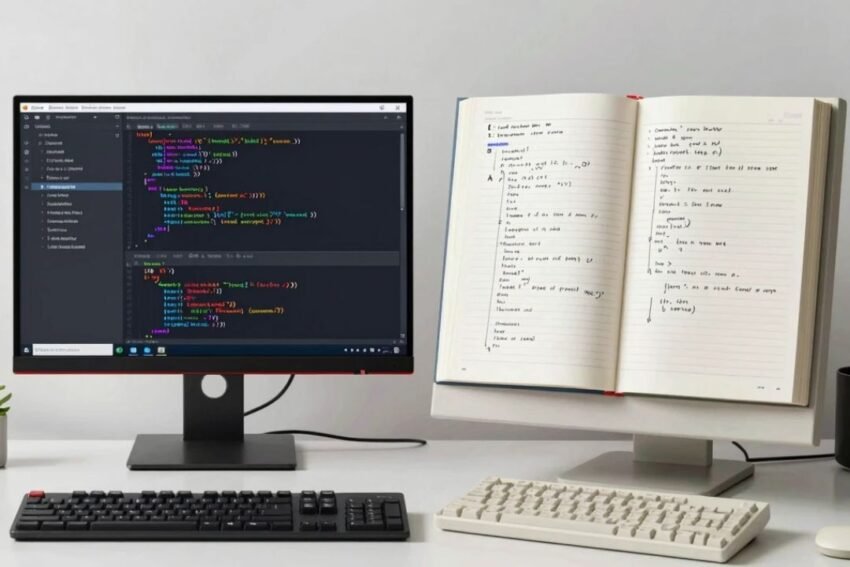
Introduction
Software development has changed significantly with the growth of artificial intelligence. AI coding tools can now help developers generate code, explain programming concepts, find errors, create tests, and automate repetitive tasks.
Traditional programming, on the other hand, relies primarily on developers manually designing solutions and writing instructions using programming languages.
The rise of AI does not mean traditional programming is disappearing. Instead, developers are increasingly combining traditional programming skills with AI-powered development tools.
Understanding AI coding tools vs traditional programming is important for beginners, professional developers, businesses, and anyone interested in the future of software development.
This guide explains the key differences between AI-assisted coding and traditional programming, their benefits and limitations, common use cases, security considerations, and how developers can combine both approaches effectively.
What Is Traditional Programming?
Traditional programming is the conventional process of creating software by writing instructions using programming languages.
Developers typically:
- Understand the requirements.
- Design the software architecture.
- Select appropriate technologies.
- Write source code.
- Test the application.
- Debug errors.
- Deploy the software.
- Maintain and update the system.
Common programming languages include:
- Python
- JavaScript
- TypeScript
- Java
- C++
- C#
- PHP
- Go
- Rust
- SQL
Traditional programming requires developers to understand how software works and how different components interact.
Although developers can use libraries, frameworks, documentation, and development tools, the core decision-making process remains largely human-driven.
What Are AI Coding Tools?
AI coding tools are software applications that use artificial intelligence to assist with programming.
They can generate or modify code based on natural-language instructions and existing project context.
Common capabilities include:
- Code completion
- Code generation
- Debugging assistance
- Code explanation
- Refactoring
- Test generation
- Documentation
- Codebase analysis
- Programming recommendations
Some AI tools operate inside code editors, while others use command-line interfaces, web applications, or dedicated AI development environments.
More advanced AI coding agents can potentially perform multi-step tasks such as inspecting files, modifying code, running tests, and analyzing results.
AI Coding Tools vs Traditional Programming
The biggest difference is how code is created and how much of the development process is assisted by artificial intelligence.
Traditional programming depends primarily on the developer to write and organize code.
AI-assisted programming allows developers to describe requirements and receive AI-generated suggestions or implementations.
For example, in traditional programming, a developer might manually create a function from beginning to end.
With an AI coding tool, the developer could describe the required function in natural language and use the generated implementation as a starting point.
The developer still needs to review and test the result.
Key Differences Between AI Coding and Traditional Programming
| Feature | AI Coding Tools | Traditional Programming |
|---|---|---|
| Code creation | AI-generated or assisted | Primarily manually written |
| Input | Natural language and code | Programming syntax and requirements |
| Speed | Can accelerate repetitive tasks | Depends heavily on developer speed |
| Debugging | AI can suggest possible fixes | Developer investigates manually |
| Learning | AI can explain code | Developer relies on study and documentation |
| Testing | Can generate test suggestions | Developer creates tests manually or through frameworks |
| Human involvement | High, especially for review | High throughout development |
| Automation | Often extensive | Usually based on programmed workflows |
| Context awareness | Can analyze project context | Developer must understand the project |
| Risk | Incorrect AI suggestions | Human coding mistakes |
| Best use | Assistance and automation | Full control and engineering decisions |
Neither approach eliminates the need for software engineering knowledge.
How AI Coding Changes the Development Process
Traditional development can involve many manual steps.
A developer may need to search documentation, write code, run tests, investigate errors, and repeat the process several times.
AI coding tools can shorten some of these steps.
A modern workflow might look like:
- Developer explains the requirement.
- AI suggests an implementation.
- Developer reviews the code.
- AI helps generate tests.
- Tests are executed.
- Errors are analyzed.
- Developer approves or modifies the solution.
- Code is committed to version control.
This can make development more iterative and interactive.
Benefits of AI Coding Tools
Faster Code Generation
AI can quickly produce common programming structures.
This is especially useful for repetitive functions, boilerplate code, configuration files, and standard components.
Improved Productivity
Developers can spend less time typing repetitive code and more time solving complex problems.
Faster Prototyping
AI can help turn an idea into an initial working prototype quickly.
Code Explanation
AI can explain unfamiliar functions and programming concepts.
Debugging Assistance
Developers can ask AI systems to analyze error messages and suggest possible causes.
Test Generation
AI can generate initial test cases for existing functions.
Documentation
AI can help create comments, README files, API descriptions, and technical documentation.
Benefits of Traditional Programming
Traditional programming also provides important advantages.
Greater Control
Developers directly control how software is designed and implemented.
Better Understanding
Writing code manually can help developers understand algorithms and system behavior deeply.
Predictability
When developers understand every part of an implementation, they can have clearer expectations about how the software works.
Custom Solutions
Complex and specialized requirements may need carefully designed solutions that cannot simply be generated from a prompt.
Strong Engineering Skills
Manual programming develops problem-solving, debugging, algorithmic thinking, and software architecture skills.
These abilities remain valuable even when developers use AI tools.
Limitations of AI Coding Tools
AI coding tools are powerful but not perfect.
Incorrect Code
AI may generate code that looks reasonable but does not work correctly.
Logical Errors
A generated solution may misunderstand the actual business requirement.
Security Vulnerabilities
AI-generated code can contain insecure practices.
Outdated Information
An AI system may suggest an outdated library, API, or programming pattern.
Context Problems
AI may misunderstand complex relationships inside a large project.
Overdependence
Developers who rely too heavily on AI may have fewer opportunities to strengthen independent programming skills.
Limitations of Traditional Programming
Traditional development has its own challenges.
Time Requirements
Writing large amounts of code manually can take significant time.
Repetitive Work
Developers often need to create similar code structures repeatedly.
Debugging Complexity
Finding errors manually can be time-consuming.
Documentation Burden
Writing and maintaining documentation requires additional effort.
Learning Curve
Developers need to learn programming languages, frameworks, tools, and software development practices.
AI tools can reduce some of these challenges but do not completely eliminate them.
AI Coding Tools for Beginners
AI coding tools can make programming more approachable for beginners.
A new programmer can ask an AI assistant to explain:
- Variables
- Functions
- Loops
- Classes
- APIs
- Databases
- Algorithms
- Error messages
For example, a beginner can provide a Python error and ask what caused it.
AI can explain the problem in simpler language and provide examples.
However, beginners should avoid simply copying generated code.
A better approach is to understand the explanation, rewrite parts independently, and test the solution.
AI Coding for Professional Developers
Professional developers can use AI tools to accelerate many parts of the software development lifecycle.
Potential applications include:
- Feature development
- Codebase analysis
- Refactoring
- Debugging
- Test generation
- Documentation
- API integration
- Code migration
- Legacy software maintenance
AI can act as a development assistant while experienced engineers maintain responsibility for architecture and technical decisions.
AI Coding and Web Development
Web development is one area where AI coding tools can provide substantial assistance.
AI can help developers create:
- HTML structures
- CSS layouts
- JavaScript functions
- TypeScript components
- React interfaces
- Backend APIs
- Database queries
- Authentication logic
For example, a developer could describe a responsive dashboard and use AI to create an initial implementation.
The developer can then manually improve the interface and test it across browsers and devices.
AI Coding and Software Testing
Testing is an important difference in modern AI-assisted workflows.
Traditional development generally requires developers to create tests manually or use predefined testing frameworks.
AI coding tools can generate potential test cases based on existing code.
These may include:
- Unit tests
- Integration tests
- Edge cases
- Regression tests
- Input validation tests
AI-generated tests should still be reviewed because an AI system may misunderstand expected behavior.
AI Coding and Debugging
Debugging is often one of the most time-consuming parts of software development.
Traditional debugging requires developers to investigate the source code, reproduce the problem, inspect logs, and identify the underlying cause.
AI tools can assist by analyzing:
- Error messages
- Stack traces
- Source code
- Configuration
- Dependencies
An AI assistant can suggest possible causes and fixes.
The developer must then verify the solution through testing.
AI Coding Agents vs Traditional Programming
AI coding agents take AI-assisted development one step further.
A traditional AI coding assistant may generate code when requested.
An agentic coding system can potentially handle a sequence of actions.
For example:
- Analyze a feature request.
- Inspect the repository.
- Identify relevant files.
- Create an implementation plan.
- Modify code.
- Generate tests.
- Run tests.
- Analyze failures.
- Make additional changes.
- Prepare the final result for review.
This approach can automate parts of the development workflow.
However, agentic systems should operate within carefully controlled permissions.
AI Coding vs Traditional Programming for Large Projects
Large software projects can contain thousands or millions of lines of code.
Understanding such systems can be challenging.
AI coding tools can help developers search and summarize code relationships.
For example, an AI assistant might explain:
- Where a specific feature is implemented
- Which files depend on a function
- How an API request moves through the system
- Which components interact with a database
Traditional programming knowledge remains essential because developers need to verify AI-generated explanations.
Security Considerations
Security is critical regardless of whether code is written manually or generated with AI.
Developers should check for:
- Authentication vulnerabilities
- Authorization problems
- Injection risks
- Hardcoded secrets
- Unsafe dependencies
- Insecure API usage
- Poor input validation
- Improper data handling
AI-generated code should receive the same security review as manually written code.
Organizations should also consider the security and privacy policies of their AI coding platforms.
Sensitive source code and credentials should not be shared unnecessarily.
AI Coding and Developer Skills
AI does not remove the need for programming knowledge.
Instead, it may change which skills developers use most frequently.
Important skills include:
- Programming fundamentals
- Algorithms
- Data structures
- System architecture
- Database design
- Cybersecurity
- Testing
- Debugging
- Cloud computing
- API development
Developers also need to learn how to communicate requirements clearly to AI systems and evaluate generated solutions.
When to Use AI Coding Tools
AI coding tools can be useful for:
- Boilerplate code
- Repetitive programming
- Documentation
- Test generation
- Code explanations
- Prototyping
- Debugging assistance
- Refactoring suggestions
- Learning new frameworks
They can be especially valuable when the task is well-defined and easy to verify.
When Traditional Programming Is Essential
Manual programming remains important when:
- Designing complex architecture
- Handling critical security systems
- Building specialized algorithms
- Making major infrastructure decisions
- Reviewing AI-generated code
- Solving unique business problems
- Optimizing performance
- Managing production systems
AI can assist with these tasks, but human engineering judgment remains important.
How to Combine AI Coding With Traditional Programming
The most practical approach for many developers is to combine both methods.
Step 1: Understand the Requirement
Clearly define what the software needs to accomplish.
Step 2: Design the Solution
Determine the architecture, technologies, data structures, and security requirements.
Step 3: Use AI for Assistance
Ask AI to generate suitable code or implementation ideas.
Step 4: Review the Output
Check logic, security, performance, and maintainability.
Step 5: Test the Code
Run automated and manual tests.
Step 6: Refine the Implementation
Modify the code based on real requirements.
Step 7: Maintain Human Control
Keep important decisions and production approvals under appropriate human supervision.
This hybrid approach can combine the productivity benefits of AI with the control and reasoning of traditional programming.
The Future of Software Development
AI is likely to become increasingly integrated into programming environments.
Future AI coding systems may provide:
- Better project-wide context
- Autonomous coding agents
- Automated testing
- AI-powered debugging
- Security-aware code generation
- Natural-language programming
- Automated documentation
- AI-assisted DevOps
- Software migration assistance
Developers may increasingly describe desired outcomes while AI systems handle more implementation details.
However, humans will continue to play an important role in defining requirements, evaluating results, managing risks, and designing complex systems.
AI Coding Tools vs Traditional Programming: Which Approach?
Rather than viewing AI coding and traditional programming as completely separate approaches, they can be considered complementary.
Traditional programming provides the foundation of software engineering.
AI coding tools provide additional assistance and automation.
A developer who understands programming fundamentals can use AI more effectively because they can recognize incorrect logic, security weaknesses, inefficient algorithms, and inappropriate architectural choices.
AI can therefore increase developer productivity without eliminating the importance of engineering knowledge.
Conclusion
AI coding tools vs traditional programming represents an important shift in modern software development.
Traditional programming gives developers direct control over software design and implementation. It develops important skills in logic, algorithms, debugging, architecture, and problem-solving.
AI coding tools can accelerate many of these workflows by generating code, explaining software, finding potential bugs, creating tests, producing documentation, and assisting with repetitive tasks.
Advanced AI coding agents can potentially automate even longer sequences of development work, including codebase analysis, file modification, testing, and debugging.
However, AI-generated code is not automatically correct or secure. Developers must review important changes, test implementations, protect sensitive information, and maintain appropriate security practices.
The most effective development workflow is often a combination of AI assistance and traditional programming expertise.
AI can handle suitable repetitive tasks while developers focus on architecture, requirements, security, performance, and complex problem-solving.
The future of programming is likely to be less about choosing between AI and humans and more about combining intelligent AI tools with strong human software engineering skills.
As AI coding technology continues to evolve, developers who learn how to use these tools responsibly while maintaining strong programming fundamentals can adapt to the changing software development landscape.